INSPIRERAI · BUSINESSINCLOUD’S ARTIFICIAL INTELLIGENCE

20 AI agents that work for you, on your online project.

Tell us your goal: InspirerAI guides you through the next steps and generates video courses, pages, funnels, lists and emails using your information and resources, right inside BusinessinCloud, where you can manage and grow your business.

InspirerAI connects video courses, pages, offers, emails and contacts
THE EXPERIENCE INSIDE INSPIRERAI

Years of online business experience. At work on your project.

InspirerAI brings together expert know-how, applied strategies and real projects: a wealth of knowledge built over the years, working every day with people who build their business online.

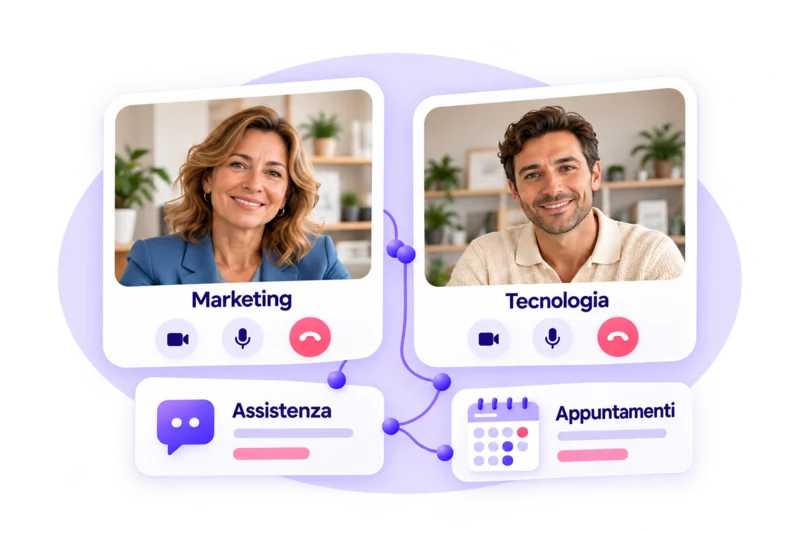
Marketing and technology expertise, support and appointments with experts

Expert know-how

Technology, marketing and digital product design: the experience of people who help you build and grow your online business.

From strategy to project: pages, offers and emails

Strategies put into practice

From the offer to the sales journey: methods and choices applied while working on products, services and communication.
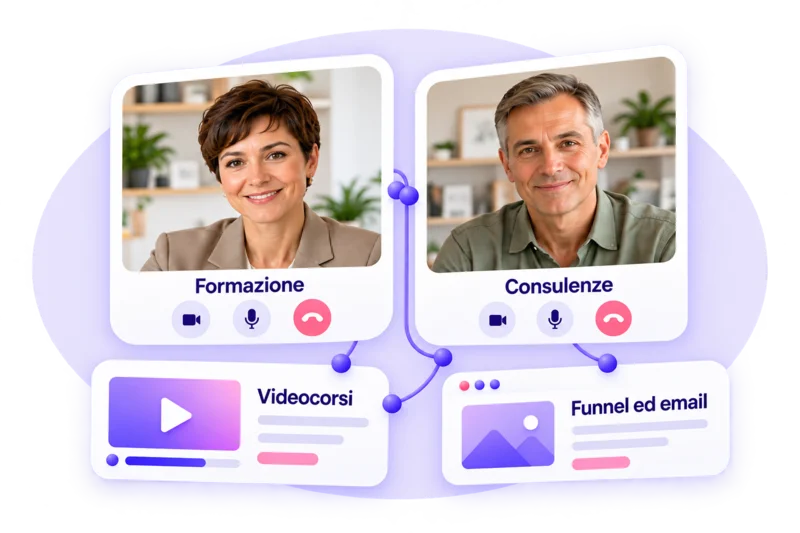
Training and consulting experiences: video courses, funnels and emails

Our customers’ experience

Different projects, concrete requests and real goals: what we learn working alongside professionals, coaches, trainers and creators.

GOLIVE · FROM GOAL TO LAUNCH

Choose what you want to build. InspirerAI helps you make it happen.

Pick a path and answer InspirerAI’s questions: GoLive gathers information about your project, generates the resources and guides you through setup and connections, all the way to the final check.

01

Launch your video course

Start from your skills and materials: InspirerAI generates the course structure and prepares the offer and the page to present and sell it.

02

Capture new leads

Tell us who you want to reach and what you want to offer: InspirerAI builds the funnel with sign-up page, thank-you page, contact list and connected emails.

03

Sell your consultations

Define the service, the audience and the duration: InspirerAI helps you build the sales and booking journey, with calendar, offer and dedicated page.

04

Not sure where to start?

Tell us about your business and what you’d like to build: InspirerAI helps you sharpen your offer and choose the path to start from.

YOUR PROJECT, THE NEXT STEP

Already have an online project? Take it further with InspirerAI.

Bring your products, offers, pages and materials into the chat: InspirerAI helps you improve what you’ve already built and create new resources that fit your business.

A new sales journey for your course, emails for your customers or content developed from your method: start from the work you’ve already done to reach your next goal.

SPECIALIZED SKILLS, IN THE SAME CHAT

20 AI agents. One single conversation.

You tell us what you need. InspirerAI coordinates the specialized agents to work on your goal, using your project’s information and resources.

01
THE PROJECT TAKES DIRECTION

They know the context. They bring the path into focus.

ORCHESTRATION 01

Orchestrator Agent

Your request activates the right skills.

Understands the goal, gathers missing information and coordinates the agents needed to move the work forward.

TRY ASKING

“I want to sell an online consultation: help me organize the steps and resources I need.”

Coordinated requests
BRAND 02

Brand Agent

Your brand gives the work context.

Uses the information and materials you share to create content consistent with your business, your audience and your voice.

TRY ASKING

“Use these materials to help me define communication that fits my brand.”

Brand context
STRATEGY 03

Strategy Agent

From your experience to a clear offer.

Helps you define audience, offer and goal, and choose where to start to build your online project.

TRY ASKING

“These are my skills: help me define who to target and which offer to develop.”

Audience, offer and goal
MARKETING 04

Marketing Strategist Agent

A strategy to make what you offer known.

Works with you on messages, channels and content to plan the promotion of your products and services.

TRY ASKING

“My video course is ready: help me plan the content and channels to promote it.”

Messages, channels and actions
02
RESOURCES TAKE SHAPE

From brief to the building blocks of your business.

PRODUCT 05

Product Agent

Your skills become an offer.

Helps you develop the name, description, promise and presentation of products, services and offers.

TRY ASKING

“Help me define the name, description and pitch of this service for my audience.”

Offer name and presentation
COURSE 06

Course Agent

A course, beyond the structure.

Creates modules and lessons and can write their content, using the topic, audience and materials you provide.

TRY ASKING

“Create the structure and lesson texts of a video course using these materials as reference.”

Modules and lesson texts
PAGE 07

Page Agent

Design and copy. Inside the platform.

Creates pages in the editor. From the course and the offer it can build a page with buttons linked to checkout.

TRY ASKING

“Use this course and its offer to create a sales page with buttons linked to checkout.”

Pages with design and copy
FUNNEL 08

Funnel Agent

Every step has a direction.

Builds lead generation journeys with pages, contact list and emails, and guides you through setup and connections.

TRY ASKING

“I want to collect leads with a free guide: help me build the sign-up journey.”

Funnel structure and content
GOLIVE 09

Go-Live Agent

From goal to launch.

Coordinates the guided path for video courses, consultations and lead generation, from gathering information to resources and final checks.

TRY ASKING

“I want to launch my video course: guide me through creating the resources and the steps to complete.”

Guided paths for your goal
CALENDAR 10

Calendar Agent

Your consultations find their place.

Helps you create and set up your consultation calendar and add it to the sales and booking journey.

TRY ASKING

“Help me set up a calendar for 60-minute consultations, available on Tuesdays and Thursdays.”

Calendar and booking journey
03
COMMUNICATION GOES LIVE

Your voice, across multiple channels.

COPY 11

Copy Agent

The right words for your project.

Writes headlines, descriptions, benefits, CTAs, FAQs and promotional copy using the context you provide.

TRY ASKING

“Rewrite the headline and benefits of this offer with a clear, direct tone.”

Headlines, benefits, CTAs and FAQs
EMAIL 12

Email Agent

Every email, with a clear purpose.

Creates autoresponders, broadcasts and newsletter sequences from the chat, starting from the project, the list and the goal.

TRY ASKING

“Prepare an email sequence to present my consultation to this contact list.”

Newsletters and autoresponders
SEGMENTS 13

Segmentation Agent

The right people, in the right list.

Creates segmentation lists and defines with you the entry and exit conditions for contacts.

TRY ASKING

“Create a list of course buyers, excluding those who already booked a consultation.”

Lists with entry and exit rules
SOCIAL 14

Social Agent

From content to messages for your socials.

Prepares captions, descriptions, hashtags and copy to explain, promote or present what you offer.

TRY ASKING

“Prepare three captions to present my course on Instagram, using this information.”

Captions, descriptions and hashtags
BLOG 15

Blog Agent

Your experience becomes an article.

Suggests topics, titles and outlines and writes articles connected to your knowledge and your business.

TRY ASKING

“Turn this document into a useful article for my project’s audience.”

Titles, outlines and articles
VIDEO 16

Video Agent

Your lessons become text too.

Transcribes lesson videos and generates synced subtitles. You can use the transcript as the lesson text.

TRY ASKING

“How can I transcribe this lesson video and generate subtitles?”

Transcripts and subtitles
04
THE PROJECT KEEPS IMPROVING

Analysis, answers and better-informed choices.

OPTIMIZE 17

Optimization Agent

A fresh look at what you’ve built.

Analyzes the resources you provide and suggests improvements toward your goal. Direct page edits are in development.

TRY ASKING

“Analyze this page and suggest how to improve the path to sign-up.”

Analysis and improvement ideas
SUPPORT 18

Support Agent

Answers for using the platform.

Answers questions about the platform and guides you on where to act and how to set up the tools.

TRY ASKING

“How do I connect the calendar to my offer’s thank-you page?”

Guidance on the tools
PLAN 19

Plan Advisor Agent

Know what your plan lets you do.

Clarifies your plan’s possibilities and limits, also taking your account usage into account.

TRY ASKING

“Can I create another course with my plan and my current account usage?”

Plan limits and usage
PRICING 20

Pricing Advisor Agent

Find your way through plans and services.

Answers questions about BusinessinCloud prices, plans and add-on services based on the price list.

TRY ASKING

“Which plans and add-on services should I consider for my business needs?”

Prices, plans and add-on services
PUT INSPIRERAI TO WORK

The next project is yours. Start building it with InspirerAI.

Pick a guided path or bring into the chat the resources you want to work on: start from what your business needs.
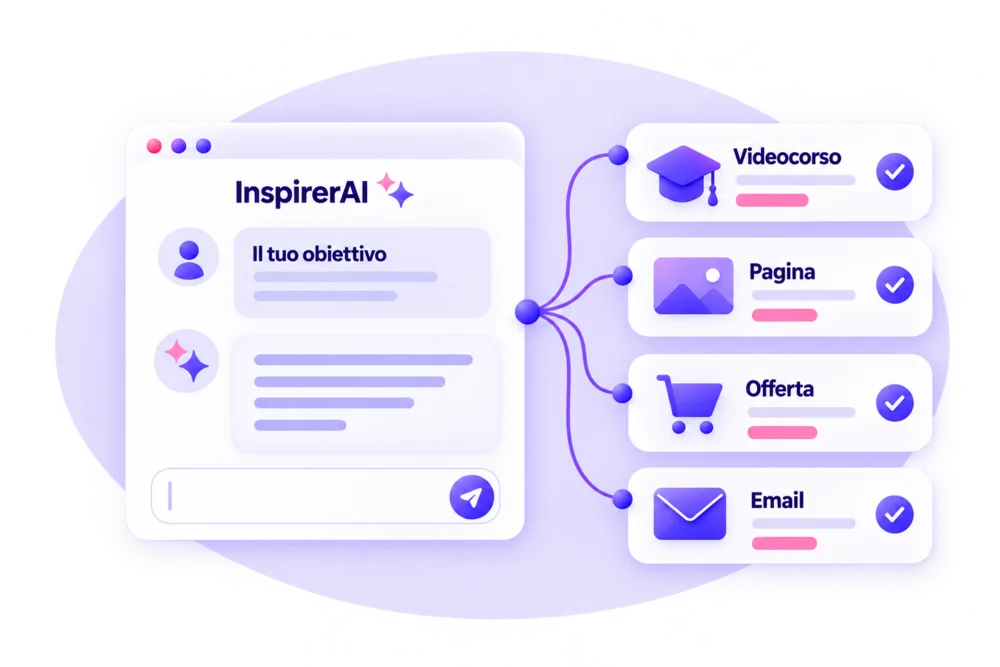
From the InspirerAI conversation to video course, page, offer and email
THE EVOLUTION OF BUSINESSINCLOUD’S AI

Where we started. What we’ve built. What we’re developing.

From the first writing features to a multi-agent architecture: InspirerAI coordinates specialized agents to create resources in the platform and guide you in bringing your project to life.

  1. THE FIRST FEATURES

    AI to create content

    Help writing copy, articles, descriptions and materials for your business.

  2. INTEGRATION INTO THE PLATFORM

    From content to resources

    Products, pages, lists and emails created directly in BusinessinCloud’s tools.

  3. TODAY · INSPIRERAI AND GOLIVE

    Specialized agents. One single direction.

    InspirerAI orchestrates the agents; GoLive guides you from the goal to creating resources, connections and the final check.

  4. THE NEXT DEVELOPMENT

    Edit pages from the chat

    From your requests to changes applied to existing pages, right inside the editor.

    In development
FREQUENTLY ASKED QUESTIONS

Get to know InspirerAI.

What is InspirerAI?

It’s the artificial intelligence built into BusinessinCloud: 20 specialized agents work together to help you define your project, generate resources and grow your online business through a single conversation.

How is it different from an external AI chat?

InspirerAI works directly inside BusinessinCloud’s tools. It can use your project’s products, offers and pages as context and create resources in the platform: for example, a sales page with buttons linked to your course checkout.

Do I need an existing project to get started?

No. You can choose a GoLive path for video courses, lead generation or consultations. If you still need to define your offer, choose “Not sure where to start” and answer the AI’s questions to focus your goal.

Can I use it if I already have products and resources online?

Yes. You can work on what you’ve already built, create new resources and develop content that fits your business, by selecting products, offers and pages in BusinessinCloud or attaching your own materials.

What information and materials can I provide?

Tell us what you do, who you’re talking to and what you want to achieve. You can attach documents and select the project resources relevant to your request: they help InspirerAI work within your context.

Do I have to choose which agent to use?

No. Write what you need or choose a guided path: InspirerAI coordinates the specialized agents needed for the request, without you having to switch from one agent to another.

Can I review and customize what gets generated?

Yes. You can review the results and customize the resources in the platform’s tools. Before publishing or activating a journey, check content, settings and connections: the final decisions are yours.

How do I access InspirerAI?

You’ll find it in the BusinessinCloud dashboard, under InspirerAI. If you already have an account you can access it there; if you want to get started, you can activate the Free plan with no expiry.

Can I also talk to a person?

Yes. You can request a free 20-minute consultation on your project directly from the InspirerAI chat, by clicking the support icon. You can also contact the Italian team via ticket from the dashboard and join BusinessinCloud Live Support.

NEXT · UPCOMING FEATURES

Your project grows. InspirerAI keeps evolving.

The next development is editing pages directly from the chat. After that, we’ll work on results analysis and then on ideas and the content plan.

Next development

Direct page editing

Ask InspirerAI to update an existing page: from your instructions in the chat to changes applied directly in the editor.

Coming after

Business Insights

Check your business statistics through the chat and discuss the results with InspirerAI, to spot what to improve and guide your next actions.

The last planned evolution

Ideas and content plan

Start from your project’s materials, products and goals to develop ideas and organize a content plan consistent with what you want to communicate.

Your skills.
20 AI agents.
Start building.

Start from a goal or from the resources you already have: create what you need to launch and grow your online business.

Free plan with no expiry · No credit card required

  1. 01

    Sign in to BusinessinCloud

    Activate the Free plan and open InspirerAI from the dashboard.

  2. 02

    Choose where to start

    Pick a GoLive path or write in the chat what you want to build.

  3. 03

    Build with InspirerAI

    Answer the questions and share your resources: the AI generates the building blocks of your project.

  4. 04

    Customize and keep working

    Review the generated resources, adapt them to your business and keep developing your project with InspirerAI.